
Welcome to Lift-traffic.com
Elevator (Lift) Traffic Analysis through Simulation.
Automated Plan Views.
✓ Easy to use, designed for accuracy.
✓ Complete lift traffic analysis in 2 minutes.
✓ Access anytime, anywhere, fully web-based.
✓ Real-time animated elevator simulation
Start Traffic Analysis
▶ Generate automated plan views instantly.
▶ Ideal for designing new buildings or evaluating existing
▶ Backed by two decades of lift-industry expertise
▶ Ideal for designing new buildings or evaluating existing
▶ Backed by two decades of lift-industry expertise
©Lift-traffic.com
Create an account and start with free evaluation tokens:
▶ Free tokens on Registration: +300 tokens
*Traffic Analysis requires a minimum 260-token balance to start.
▶ Free tokens on Registration: +300 tokens
*Traffic Analysis requires a minimum 260-token balance to start.
ONLINE APPS
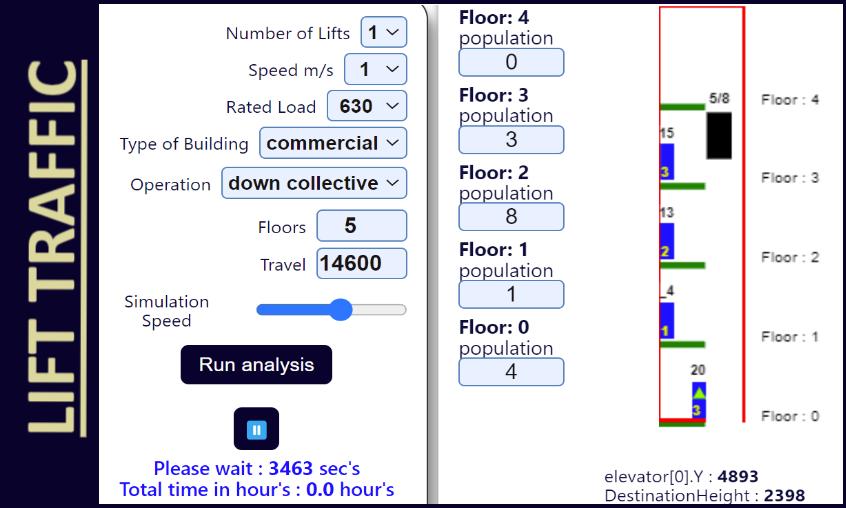
Traffic analysis - Latest Updates
• Duplex, Triplex operation. ✔• Up to 16 lifts. ✔
• Full collective operation. ✔
• Advanced ETA-style dispatcher. ✔
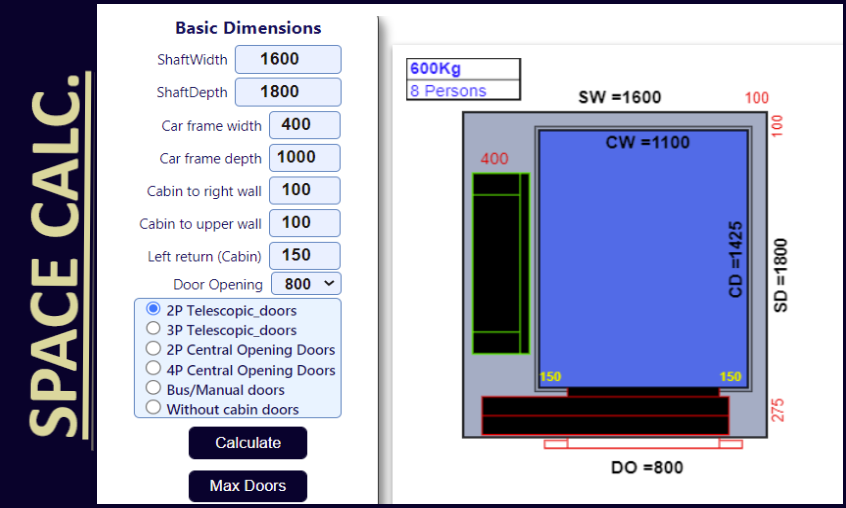
Space Calculator - Latest Updates
• Bigger doors - 6/8 panels ✔• 2nd door / 90 degrees. ✔
• Opposite door option.
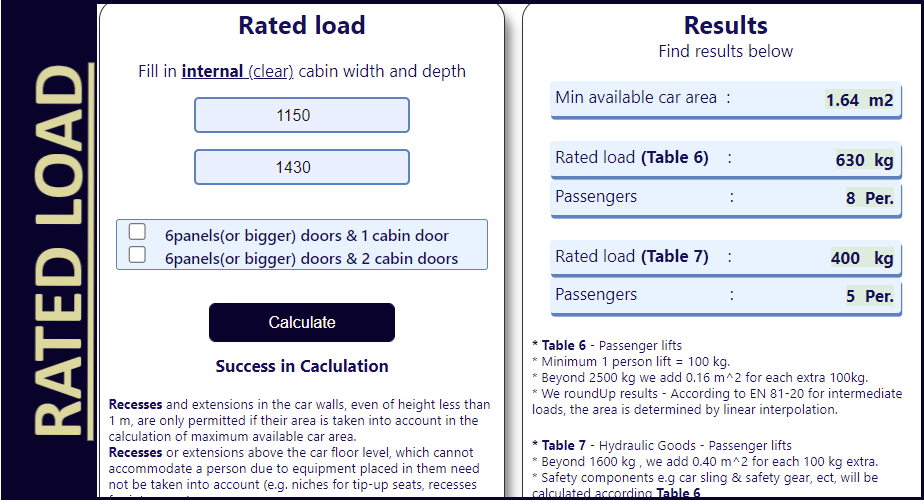
Rated load calculator
•No planned Updates.Regulations / Books Used
• EN 81-20_2020• ISO_8100-32_2020
• Elevator Traffic Handbook: Theory and Practice
ARTICLES
Interesting articles around the Globe
• Planning, designing, guide for architects• Top 20 Elevator Companies
International associations
• European lifts Association• EU legislation and lifts
• CIBSE Lifts Group
• ASME - American Society of Mech.Eng.
DETAILED CAPABILITIES
| Ease of Use | Designed for quick studies by architects, engineers and lift designers |
| Web Access | Runs in the browser from any device - no desktop installation |
| Updates | Always on the current web version |
| Multiple Users | Account-based access for many users and saved project runs |
| Scientific Comparison | Seeded reproducible runs for fair before/after testing |
| Simulation Core | Discrete-event simulator with live animated playback |
| Up-Peak Analysis | Incoming, outgoing and interfloor mix |
| Lunch-Peak / Two-Way | Mixed-flow lunch traffic with separate KPI output |
| Arrival Rates | Building-type presets and editable demand levels |
| Duplex / Triplex / Multiplex Groups | Group simulation with per-elevator duty results |
| Dispatch Modes | Classic FS / distance dispatch and advanced ETA-style multiplex |
| Operation Modes | Full collective and down collective operation |
| High-Rise Support | Speed options up to 7 m/s - travel up to 175 m - Elevators up to 16 |
| Zoning | Per-elevator Min-Max served floors |
| Soft Zoning | Elevators may serve outside their zone when strict-zone service is unavailable |
| Automatic Optimizer | Soon - automatic multi-run design recommendations |
| Elevator Speed | Custom per elevator |
| Elevator Load | Custom per elevator using rated-load-to-persons mapping |
| Floor Range | Per-elevator Min-Max served floors |
| Travel Distances | Variable floor-to-floor distances with locked-value memory |
| Door Settings | Fast / normal / slow profiles with center-opening or telescopic doors |
| Traffic Profiles | Residential, commercial and custom traffic assumptions |
| Validation System | Locked-value memory, automatic checks, random or seeded mode |
| Population Batching | Batch size and grouped passenger demand |
| Passenger Behavior | Editable wrong-button and wrong-direction boarding probabilities |
| Dynamic Waiting Rules | Door-open boarding decisions at each stop |
| Mixed-Flow / Lunchtime | Incoming, outgoing and interfloor passenger movement |
| Capacity Logic | Usable cabin capacity model closer to real passenger loading |
| Starts / Hour | Per-elevator duty check with warnings for high start counts |
| Live Animated Simulation | Modern canvas animation with speed control |
| Run Summary | Top KPIs, starts/hour, building data and report details |
| Timing Statistics | AWT and TTD for up-peak and lunch traffic |
| Similar Run Comparison | Finds closest previous runs and shows KPI differences |
| Specs Difference Finder | Highlights changed inputs against the latest baseline run |
| Printable Report | Browser print / PDF-ready online result report |
| Traffic Analysis | Simulation, run history and comparison workflow |
| Rated Load Calculator | Rated load and passenger estimate from cabin size |
| Space Calc App | Plan view calculator and max-doors auto-calculation |